By Aaron Nash (AZ)
It’s budget season and your court wants months’ worth of statistics and projections in the next week. Has anyone else successfully navigated a request like this? Or perhaps you’re seeing double-digit increases in self-represented filings, but those filings are getting rejected in your office, so the chambers don’t see on their own that your work volume is up, but your staffing levels are not. How are other courts managing this? Wrestling through these issues would make great sessions at the NCACC annual conference, but that’s months away and you need answers now. The solution? Crowdsource best practices through the NCACC listserv, called Groups.io.
What is Groups.io and who can use it?
Groups.io is a platform for email-based discussion groups. It’s like an email listserv, but better, because you can also read and send messages from within the NCACC members website. It’s also a way for NCACC subgroups and committees to communicate with each other, but not the entire membership. This article is limited to using Groups.io for entire-membership communications. A follow-up article on subgroup or committee communications may appear in a future issue of The Docket. Rather watch a video? You’ll have to read far enough to learn about logging into your account, then you can watch the two-minute overview at https://groups.io/helpcenter/videos/login.
When can I use Groups.io, and why would I use it?
You can send Groups.io messages 24 hours a day, seven days a week, 365 days a year. You can… but nobody will actually do that. Use Groups.io when you’re sure someone has already considered the problem you’re trying to solve so you don’t have to reinvent the wheel. Use it when you think you might be the first person to face a problem and want to caution the rest of us, or crowdsource a potential solution. Use it to share sad news, great news, and messages of thanks and gratitude. The best solutions and approaches rise to the top when members respond to messages, making us all more efficient and better able to serve the public, our courts, and our staff.
How do I know if I’m on the Groups.io distribution list?
If you’ve received an email where the sender information includes “Questions@NCACC.groups.io” (for listserv-like questions and responses) you’re in the distribution list. Messages from members registered in Groups.io will also include the sending member’s name and jurisdiction in the sender field. Messages from the NCACC Announcements distribution list will only show the member’s name.
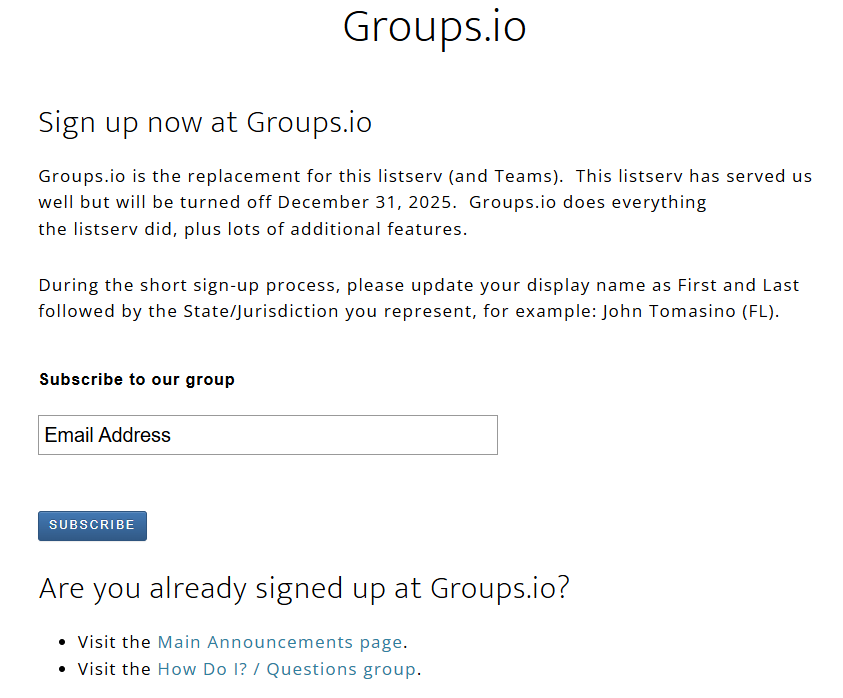
If you haven’t received a Questions or Announcements email, login to the NCACC members’ page at https://appellatecourtclerks.org/login/. While there, make sure your profile information is accurate – this is how others can contact you directly if needed. From your login/profile page, hover over “Member Area” in the top, right corner and click “Groups.io.” The top of the linked-to page says, “Subscribe to our group.” To sign up, add your email address in the email address box and click “Subscribe.”
The trickiest part of Groups.io is registering for an account. It’s a one-time registration that makes life easier. After signing into the NCACC members’ page you’ll end up at the Groups.io main page, or you can navigate there directly at https://ncacc.groups.io/login?r=https%3A%2F%2Fncacc.groups.io%2Fg%2Fmain%2Ftopics (you have to be signed into the NCACC members’ site to get there). For initial registration, click the “Email me a link to log in” button. Remember to capture your login credentials for future use. Check your email and spam folders for the auto-generated email, click the link in the invitation, and follow the instructions to register. All-member and group distribution list invitations will come from “Group Notification <noreply@groups.io>.”
If you’re already registered, enter your login credentials at the link above and click enter and you’ll arrive at the Groups.io “Main” page. The navigation bar is on the left side of the page and allows you to read and create messages. From there, you can go to “Announcements” to read communications from NCACC leadership or go to “Questions” to post your own question and read the archive of other questions and answers.
How do I send a message or response using Groups.io?
You can use the login process explained above to send a message through the Groups.io website. Alternatively, you can just follow your usual way of sending an email, addressing it to “Questions@NCACC.groups.io” add a subject line, draft your email, and hit send – it’s that easy. If you want members to have the option of calling or emailing you directly – either to clarify a question in an all-members message or to reach out for one-to-one communication – include your contact information in the body of your email. Otherwise (and what we usually want) using “reply” or “reply-all” sends your response to everyone in the distribution list.
What else should I know about Groups.io?
Groups.io is a tool. Clerks’ offices are either busy or busier, and a Groups.io message is one more thing to receive, consider, and act on. As a result, when sending a Groups.io message, consider all the applicable “W’s” and “H’s” for an effective request or response: who, what, when, where, why, how much/many, and how often.
Let the reader know up front why you’re in the conversation. Is this informational only, or are you asking for a specific response? Do you want to hear from everyone, or only certain people? Are you asking for help sharing news of a time-sensitive item?
Keep the message focused and brief and include anticipated follow-up information. Many members ask a question and let the membership know they will be compiling the results and sending the information back out. It helps to use brief, informative subject lines and content, so anyone can do a keyword search later to find or organize the discussion when they need it.
Final thoughts
Don’t suffer or celebrate in silence. Reach out to the membership early. We’re eager to help when we can, and we’re likely to need help in the future. If you’re sharing celebratory news, such as awards won, milestones achieved, or retirements pending, know that we are celebrating with you, and any response might be directly to you, because the inactionable reply-all can doom the most well-intentioned tool. And that’s a good guideline for using Groups.io: everyone wants specific, actionable help, and everyone wants to read one less email.